Wednesday, 27 November 2013

Salesforce Account Record Merging With Deleting the Duplicate Records

Whenever we are working with bulk data, its a hard thing to check the duplicate records and then delete them without loosing data.

So I thought why shouldn't we go for a bulk process that helps us in Merging the duplicate records and them clearing them from database without any loss of data.

So here I have done something for my Account object, I have written a batch, whenever we execute it, it will start processing on Account records created in "LAST 15 MINUTES", takes those Account's Name and Billing Address, and then it will check in database that is there any record having same Name AND Billing Address or not.

This batch won't work if there is any slight change in between name or billing address.

for example I have created two Account records having same Name and Billing Address only the first record Phone was an extra field filled.


1st Account created


2nd Account without Phone but same Billing Address and Name


Now when I execute my batch in console
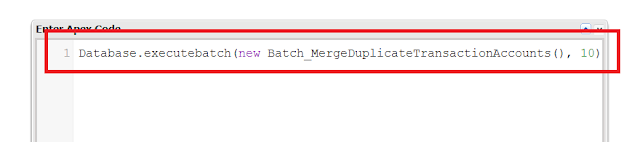


Now my batch deletes duplicate Account that have empty phone


Now the best thing is, no matter how many field you have in Account it will save your field values in the unique record, that means your data will never loose your data.

Here is the batch


/**
* Description : Batch class to merge duplicate transaction Account records.
*
* Created Date : 11-26-2013 
* 
* Revision Logs : V1.0 - Created
*
**/
global class Batch_MergeDuplicateTransactionAccounts implements Database.Batchable<sObject>, Database.Stateful {
    
    //Set to hold the account records name with billing address field values
    global Set<String> setAccountNameWithBillingAddress;
    
    //String to hold the Account object fields names
    String accountFieldsNamesString = '';
    
    //Set to hold the Account fields API name strings
    Set<String> setAccountFieldsNameString;
    
    //Calling Constructor 
    global Batch_MergeDuplicateTransactionAccounts() {
        
        //Memory Allocation to collections
        setAccountFieldsNameString = new Set<String>();
        setAccountNameWithBillingAddress = new Set<String>();
        
        //Describe Account object and get all the fields
        Map<String, Schema.SObjectField> accountFieldsMap = Account.sObjectType.getDescribe().fields.getMap();
        
        //Loop through Account fields Names through Schema Methods
        for(String fieldName : accountFieldsMap.keySet()) {
            
            //Describe field
            Schema.DescribeFieldResult field = accountFieldsMap.get(fieldName).getDescribe();
            
            //Filtering out the fields for getting only updatable non system fields
            if(!field.isCalculated() && field.isCreateable() && field.isUpdateable()
               && !field.getLocalName().equalsIgnoreCase(Constants.PARENTID)) {
                   
                   //Populate set with the Fields Names string values
                   setAccountFieldsNameString.add(field.getLocalName()); 
                   
                   //Account object fields name string
                   if(accountFieldsNamesString == '')
                       accountFieldsNamesString = field.getLocalName(); 
                   else
                       accountFieldsNamesString += ',' + field.getLocalName();
               }
        }
    }
    
    //Start method
    global Database.QueryLocator start(Database.BatchableContext BC) {
        
        //Varibale to hold the current date time value
        DateTime currentDateTime = DateTime.now();
        
        //Varibale to hold the 15 minute ago date time value
        DateTime fifteenMinuteAgoDateTime = DateTime.now().addMinutes(-15);
        
        //String variable to hold the Account records those were created in last 15 minute and so.
        String sOQLQuery = 'SELECT ID, Name FROM Account WHERE'
            + ' CreatedDate >: fifteenMinuteAgoDateTime AND CreatedDate <=: currentDateTime'
            + ' AND Name != null ORDER By CreatedDate ASC';
        
        //Fetching all the Account records from the database
        return Database.getQueryLocator(sOQLQuery);
    }
    
    //Exectue Method having logic for duplicate accounts finding's
    global void execute(Database.BatchableContext BC, List<Account> scope) {
        
        //Set to hold the account name with billing address strings
        Set<String> setAccountNameWithBillingAddressStrings = new Set<String>();
        
        //Map to hold the Account records corresponding the account name and billing address value as key
        Map<String, List<Account>> mapNameBillingAddressKeyWithAccounts = new Map<String, List<Account>>();
        
        //This map is to hold the Parent Id and List of List of Accounts. One list will have maximum 2 child records.
        //Standard merge statement allows to merge 3 records at a time, so List of list will hold list of 2 child records
        Map<Id, List<List<Id>>> mapParentAccountWithListOfChildrenAccounts = new Map<Id, List<List<Id>>>();
        
        //This mapis to hold the updated Parent data always
        Map<Id, Account> mapParentAccount = new Map<Id, Account>();
        
        //Loop through account records in scope
        for(Account acc : scope) {
            
            //Checking value in set
            if(!(setAccountNameWithBillingAddress.contains(acc.Name.trim().toLowerCase()))) {
                
                //Populate set with values
                setAccountNameWithBillingAddress.add(acc.Name.trim().toLowerCase());
                setAccountNameWithBillingAddressStrings.add(acc.Name.trim().toLowerCase());
            }
        }
        
        //Check set for size
        if(setAccountNameWithBillingAddressStrings != null) {
            
            //Loop through eligible account records
            for(Account account : Database.query('SELECT ' + accountFieldsNamesString + ' FROM Account WHERE Name IN : setAccountNameWithBillingAddressStrings AND Name != null ORDER By CreatedDate ASC')) {
                
                //Key String
                String keyString = '';
                String billingAddressString = '';
                
                //Appending account billing address field values in key string after performing validation on them
                if(account.BillingStreet != null)
                    billingAddressString += account.BillingStreet.trim().toLowerCase(); 
                else
                    billingAddressString += null;
                if(account.BillingCity != null)
                    billingAddressString += account.BillingCity.trim().toLowerCase(); 
                else
                    billingAddressString += null;
                if(account.BillingState != null)
                    billingAddressString += account.BillingState.trim().toLowerCase(); 
                else
                    billingAddressString += null;
                if(account.BillingCountry != null)
                    billingAddressString += account.BillingCountry.trim().toLowerCase(); 
                else
                    billingAddressString += null;
                if(account.BillingPostalCode != null)
                    billingAddressString += account.BillingPostalCode.trim().toLowerCase(); 
                else
                    billingAddressString += null;
                
                //Formation of key string with the help of account name and billing address string
                keyString = account.Name.trim().toLowerCase() + Constants.SEPERATOR + billingAddressString;
                System.debug('@@@@@ keyString ' + keyString);
                
                //Check for key value in map
                if(mapNameBillingAddressKeyWithAccounts.containsKey(keyString)) {
                    
                    //Get the Values of the Map and add Id to it.
                    mapNameBillingAddressKeyWithAccounts.get(keyString).add(account);
                    
                } else {
                    
                    //Creat a new Set at values and add Id to it.
                    mapNameBillingAddressKeyWithAccounts.put(keyString, new List<Account>{account}); 
                }
                
                System.debug('@@@@@ mapNameBillingAddressKeyWithAccounts ' + mapNameBillingAddressKeyWithAccounts);
                
                //Loop through map keys
                for(String key : mapNameBillingAddressKeyWithAccounts.keySet()) {
                    
                    //Checking if we have more than one account record in the list corresponding to the account name, billingaddress combined string key
                    if(mapNameBillingAddressKeyWithAccounts.get(key) != null && mapNameBillingAddressKeyWithAccounts.get(key).size() >= 1) {
                        
                        //Account record having oldest created date stamped on it will become parent of other dup recods
                        Account parentAccount = mapNameBillingAddressKeyWithAccounts.get(key)[0];
                        
                        //Set Parent in Map with latest Values
                        mapParentAccount.put(parentAccount.Id, parentAccount);
                        
                        //Add a default list
                        List<List<Id>> lstOfLst = new List<List<Id>>();
                        lstOfLst.add(new List<Id>());
                        mapParentAccountWithListOfChildrenAccounts.put(parentAccount.Id, lstOfLst);
                        
                        //Lopp through the child records
                        //Set all the null field in Parent with child data if child have not null value
                        for(Integer i=1; i<mapNameBillingAddressKeyWithAccounts.get(key).size(); i++) {
                            
                            //Dup Child Account record
                            Account childAccount = mapNameBillingAddressKeyWithAccounts.get(key)[i];
                            
                            //Loop through set having Account object fields API Name with it
                            for(String accountFieldAPIName : setAccountFieldsNameString) {
                                
                                //Checking for value in child with respect to Parent
                                if(parentAccount.get(accountFieldAPIName) == null && childAccount.get(accountFieldAPIName) != null) {
                                    
                                    //Populating Instance with value
                                    parentAccount.put(accountFieldAPIName, childAccount.get(accountFieldAPIName)); 
                                }
                            }
                            
                            //Put the latest innstance of Parent Account in Map
                            mapParentAccount.put(parentAccount.Id, parentAccount);
                            
                            //Get List from Marging Map
                            List<List<Id>> mergingAccounts = mapParentAccountWithListOfChildrenAccounts.get(parentAccount.Id);
                            
                            //Chekcif list size has been reached to 2, add a new List and add account in that
                            if(mergingAccounts[mergingAccounts.size() - 1].size() == 2) {
                                
                                //Add a new List
                                mergingAccounts.add(new List<Id>()); 
                            }
                            
                            //Add Child record in List
                            mergingAccounts[mergingAccounts.size() - 1].add(childAccount.Id);
                            
                            //Put this list back in original map
                            mapParentAccountWithListOfChildrenAccounts.put(parentAccount.Id, mergingAccounts);
                        }
                    }
                }
            }
            
            System.debug('@@@@@@ value in mapParentAccount ' + mapParentAccount);
            System.debug('@@@@@@ value in mapParentAccountWithListOfChildrenAccounts ' + mapParentAccountWithListOfChildrenAccounts);
            
            //Start Merging Process
            for(Account pAccount : mapParentAccount.values()) {
                
                //Get merging list and start merging process
                if(mapParentAccountWithListOfChildrenAccounts.containsKey(pAccount.Id)) {
                    
                    //Loop through the merging list
                    for(List<Id> accounts : mapParentAccountWithListOfChildrenAccounts.get(pAccount.Id)) {
                        
                        if(accounts != null && accounts.size() > 0) {
                            System.debug('###### accounts ' + accounts);
                            //Merge statement for merging of the child records with respect to Parent Account record
                            merge pAccount accounts;
                        }
                    } 
                }
            }
        }
    }
    
    //Finish Method
    global void finish(Database.BatchableContext BC) {
        
    }
}


Here is the Test Class

/**
* Description : Test Class for Batch_MergeDuplicateTransactionAccounts.
*
* Created Date : 11-27-2013
*
* Revisiion Logs : V_1.0 - Created
*
* Code Coverage : 100%
**/
@isTest
private class Test_Batch_MergeDuplicateTxnAccounts {
    
    //Test method
    static testMethod void myUnitTest() {
        
        //List to hold account records
        List listAccounts = new List();
        
        //Create Account with iteration of count
        for(integer i = 1 ; i <= 100 ; i++) { //Populating the list of Account records listAccounts.add(new Account(Name = 'Test1' , BillingCity = 'TestCity' , BillingState = 'TestState' , BillingPostalCode = '85004' , BillingStreet = 'TestStreet' , BillingCountry = 'US')); } listAccounts.add(new Account(Name = 'Test2' , BillingCity = 'TestCity' , BillingState = 'TestState' , BillingPostalCode = '85005' , BillingStreet = 'TestStreet' , BillingCountry = 'US')); listAccounts.add(new Account(Name = 'Test2'));                  //Insert accounts insert listAccounts; //List to hold contact records List listContacts = new List();
            
            //Populate the list with contact records
            listContacts.add(new Contact(FirstName = 'Test' , LastName = 'Contact' , AccountId = listAccounts[1].Id));
            listContacts.add(new Contact(FirstName = 'Test1' , LastName = 'Contact1' , AccountId = listAccounts[2].Id));
            
            //Insert contacts
            insert listContacts;
            
            //Test start from here
            Test.startTest();
            
            //Batch Initializing
            Batch_MergeDuplicateTransactionAccounts controller = new Batch_MergeDuplicateTransactionAccounts();
            
            //Execute Batch
            Database.executeBatch(controller , 200);
            
            //Test stop here
            Test.stopTest();
            
            //Query to get account records
            listAccounts = [SELECT ID , (SELECT ID From Contacts) FROM Account];
            
            //Assert for results
            System.assertEquals(listAccounts.size() , 3);
            System.assertEquals(listAccounts[0].contacts.size() , 2);
        }
    }   
}


Thanks & Cheers,
Hope helped someone.


Sunday, 24 November 2013

Salesforce launches the internet of Customers "Salesforce1"

Salesforce1 is meant to allow the rapid creation of apps that can work across Salesforce's sales, service, and marketing apps, as well as on top of its Force.com, Heroku, and ExactTarget Fuel platforms, all at the same time. Salesforce1 is a free, automatic upgrade for existing Salesforce customers.


Salesforce1 is a new social, mobile and cloud customer platform built to transform sales, service and marketing apps for the Internet of Customers. As the pioneer of enterprise cloud computing, salesforce.com is launching the next generation of the world’s #1 cloud platform, Salesforce1, for the new connected world. Now every company can connect with customers in a whole new way.

New Salesforce1 is the first CRM platform for developers, ISVs, end users, admins and customers moving to the new social, mobile and connected cloud.
Developers can create next generation apps. Salesforce1 was built API-first to enable developers to build the next generation of connected apps.

Built for next generation applications, Salesforce1 has 10 times more APIs and services built-in, for developers to build quickly, and easily create personalized experiences for connect smartphones and wearable smart devices. With Salesforce1, every ISV can accelerate their growth by building, selling and distributing apps for the connected customer.

ISVs such as Evernote and Kenandy are building mobile-ready apps on the platform and leveraging the power of the Salesforce1 AppExchange to market and sell these apps. A new mobile app built on the Salesforce1 Customer Platform allows users to access and experience Salesforce everywhere on any form factor.


“It’s not about thousands of new computers, it’s about 50 billion connected things,” said Benioff. “Everything is on the net. The airplane engine is on the net. The Caterpillar tractor is on the net. The Coca-Cola vending machine is on the net.”

Salesforce1 is a new home base for Salesforce mobile, providing access to core customer relationship management (CRM) features as well as custom and partner apps. It’s also a platform for developers, who have access to 10 times more Salesforce APIs than they did before.

Wednesday, 20 November 2013

Salesforce Integration With Klout


Recently from the client side got a requirement of getting Twiitter Account rating in Salesforce using Klout.
Go to Klout
Here what we are doing is just creating a visualforce page which is having custom fields of Account on the click of a button on detail page, our visualforce page will open, where user will get its Twitter Account rating.
It can be easily understand by the snaps below

Write your twitter Screen Name and click on the button "Get Rating"


After clicking that button user will get its Twitter rating as shown


Now the question rises how to do this thing?

So first of all, create an Account in Klout(Link provided above) then on the dashboard Click on "REGISTER AN APP", fill all the formalities and then you'll find this, marked in red is the key which we'll use to get Twitter score.


Here is the apex class

/**     Description    :    Ths class will Integrate Salesforce with Klout. 

  *

  *    Created By     :    Abhi Tripathi

  *

  *    Created Date   :    07/30/2013

  *

  *    Revisison Log  :    v1.0 - Created

  *

  *    Version        :    V1.0

**/


public with sharing class KloutWithSalesforceTwitterRatingUpdate {


  //Wrapper Class for First Response

  public class firstResponseParsingWrapper {


    //Response variables

    public String id;

    public String network;


    //Constructor

    public firstResponseParsingWrapper(String id, String network) {

      this.id = id;

      this.network = network;

    }

  }


  //Wrapper for second response

  public class KloutFinalResponseWrapper {


    //Score from the response

    public String score;


    //Constructor

    public KloutFinalResponseWrapper(String score) {

      this.score = score;

    }

  }


  //account

  public Account account { get; set; }

  public String twitterScore { get; set; }


  //constructor

  public KloutWithSalesforceTwitterRatingUpdate(ApexPages.StandardController stdController){


    //Initiallize

    twitterScore = '';


    //account record

    this.account = (Account)stdController.getRecord(); 

  }


    //Method for making callout and populating values retrieved from response is going to be diplayed on Visualforce Page

    public void kloutTwitterRating() { 


    try {

      //Http

      Http http = new Http();


      //Request

      HttpRequest req = new HttpRequest();

      req.setEndpoint('http://api.klout.com/v2/identity.json/twitter?screenName='+ twitterScore +'&key=4j6pe8zamj4dmh2by9tzv5sc');

      req.setMethod('GET');


      //Send request

      HTTPResponse firstResponse = http.send(req);

      System.debug('res::::::' + firstResponse.getBody());


      //Body

      String body = firstResponse.getBody();


      //Deserializing response

      KloutWithSalesforceTwitterRatingUpdate.firstResponseParsingWrapper parsedResponse = (KloutWithSalesforceTwitterRatingUpdate.firstResponseParsingWrapper)JSON.deserialize(body, firstResponseParsingWrapper.class);

      System.debug('parsedResponse:::::::' + parsedResponse);


      //String for id in response

      String responseId = parsedResponse.id;

      System.debug('responseId:::::::' + responseId);


      //Second request for score

      HttpRequest finalReq = new HttpRequest();

      finalReq.setEndpoint('http://api.klout.com/v2/user.json/'+ responseId +'/score?key=4j6pe8zamj4dmh2by9tzv5sc'); 

      finalReq.setMethod('GET');


      //Send request

      HTTPResponse lastResponse = http.send(finalReq);

      System.debug('lastResponse::::::' + lastResponse.getBody());


      //Body

      String finalBody = lastResponse.getBody(); 


      //Deserializing response

      KloutWithSalesforceTwitterRatingUpdate.KloutFinalResponseWrapper parseFinalResponse = (KloutWithSalesforceTwitterRatingUpdate.KloutFinalResponseWrapper)JSON.deserialize(finalBody, KloutFinalResponseWrapper.class);

      System.debug('parseFinalResponse::::::' + parseFinalResponse);


      //Assigning value

      account.Twitter_Rating__c = parseFinalResponse.score;

      account.Validate_Score_Successfully__c = true;

      account.Validate_Score_Last_Attempt__c = date.today();   


    }catch (exception e) {


      //Error messages

      ApexPages.Message errormsg = new ApexPages.Message(ApexPages.severity.ERROR,'UserName Not Found, Sorry Try Again');

            ApexPages.addMessage(errormsg);

      System.debug('e:::::::' + e); 

    }   


  }

}


Here is the Visualforce Page

 <apex:page standardController="Account" extensions="KloutWithSalesforceTwitterRatingUpdate">  
    <!-- heading-->    
   <apex:sectionHeader title="Screen Name" subtitle="Twitter Rating"/>  
   <!-- form -->  
   <apex:form >  
     <!-- page messages-->  
     <apex:pageMessages />  
     <!-- page block -->  
     <apex:pageBlock mode="edit">  
         <!-- button -->  
         <apex:pageBlockButtons >   
           <apex:commandButton value="Get Rating" action="{!KloutTwitterRating}" />  
           <apex:commandButton value="Cancel" action="{!cancel}" />  
         </apex:pageBlockButtons>  
       <!-- block section -->  
       <apex:pageBlockSection title="Twitter Screen Name">  
         <!--Input Text>-->  
         <apex:pageBlockSectionItem >  
           Your Twitter Screen Name  
           <apex:inputText value="{!twitterScore}"/>  
         </apex:pageBlockSectionItem>  
       </apex:pageBlockSection>  
       <apex:pageBlockSection title="Rating With Related Values">  
         <!--Score-->  
         <apex:outputField value="{!account.Twitter_Rating__c}" />  
         <apex:outputField value="{!account.Validate_Score_Successfully__c}" />  
         <apex:outputField value="{!account.Validate_Score_Last_Attempt__c}" />   
       </apex:pageBlockSection>  
     </apex:pageBlock>   
   </apex:form>  
 </apex:page>  


Now get your Twitter Rating in your salesforce.
Cheers.......!!!!!


Monday, 21 October 2013

360° With Test Class for Beginners #Salesforce

Here is have provided some of the basics to write perfect test class in salesforce


Here I'll explain with short snippets for the test classes
As the first one below

1:  @isTest(seeAllData=false)  
2:    private class Test_CountContactOfAccount {   
3:      //Method  
4:      static testMethod void CountContactOfAccountUnitTest() {  
5:      }  
6:    }  

(seeAllData=false)
You can set it true or false on your own, there are two condition for setting it true or false

1. If you are querying any object and fetching records from the database in the test class then set it to true as well there are few object we can't create in our test like "OpportunityLineItem" so to test with this object records, we need to query it with "seeAllData = true".

2. But if you are inserting test records of an object an then querying it in the test class, then you need to set it false otherwise test class won't be executed.


TESTING CUSTOM CONTROLLER AND STANDARD CONTROLLERr
::::::::::::::::::::::::::::::::::::::::::::::::::::::::::::::::::::::::::::::::::::::::::::::::::::::::::::::::::::::::::

How to cover custom controller in the test class?
If you need to cover constructor in the test class then simply define it in the test class, like CountContactOfAccount is the name of the class, just define it in the test class as in below, it will cover you whole constructor.

1:  //Calling contructor  
2:  CountContactOfAccount controller = new CountContactOfAccount();  

How to call StandardController (ApexPages.StandardController stdController)?
If you are using standard controller in the class then you need to define it in the test class too

1:  //Insert you object that you are using in your class  
2:  Account acc = new Account(Name = 'test');  
3:  insert acc;  
4:  //Define standard controller and pass inserted object   
5:  ApexPages.StandardController stdController = new ApexPages.StandardController stdController(acc);  
6:  //Now define your controller then pass standard controller you've just defined  
7:  CountContactOfAccount controller = new CountContactOfAccount(stdController );  

TESTING WITH STATIC AND VOID METHODS
::::::::::::::::::::::::::::::::::::::::::::::::::::::::::::::::::::::::::::::::::::::::::::::::::::::::::::::::::::::::::

How to call methods in the test class?
As you have seen above we have called controller , by using controller we can call static and void methods easily

So if the method is void like "public void something() {"

1:    //Calling contructor  
2:    CountContactOfAccount controller = new CountContactOfAccount();  
3:    //Calling void method  
4:    controller.something();  

But if the method is static like "public static list something() {"

then you can directly call the method no need to use deifned controller

1:    //Calling static method  
2:    CountContactOfAccount.something(listOfAccount);   

TESTING ApexPages.currentPage().getParameters().get('ID')
::::::::::::::::::::::::::::::::::::::::::::::::::::::::::::::::::::::::::::::::::::::::::::::::::::::::::::::::::::::::::

In this scenario you just need to put the value in the test of the variable that you fetching from the the URL

1:  //this method will put Id in the URL in the test class  
2:  currentPageReference().getParameters().put('id', '001c384348247811');  

ASSERTS (Most Important thing for test classes)

::::::::::::::::::::::::::::::::::::::::::::::::::::::::::::::::::::::::::::::::::::::::::::::::::::::::::::::::::::::::::

There as three most commonly used asserts are there shown below, use asserts to check that your method are returning the correct values or not.

1:  System.assert(pBoolean)  
2:  System.assertEquals(pANY, pANY)  
3:  System.assertNotEquals(pANY, pANY)  

TESTING ERROR MESSAGES
::::::::::::::::::::::::::::::::::::::::::::::::::::::::::::::::::::::::::::::::::::::::::::::::::::::::::::::::::::::::::

If you have error message in your test class and you want to cover it in test class then use this snippet

1:  //List of Message  
2:  List msgs = ApexPages.getMessages();  
3:  //Define a boolean variable  
4:  boolean msg = false;  
5:  //Loop through the messages of the page  
6:  for(Apexpages.Message msg:msgs){  
7:  //if there is error message then set the boolean to true  
8:  if (msg.getDetail().contains(‘Search requires more characters’)) msg = true;  
9:  }  
10:  //Assert  
11:  system.assert(msg);  
12:  //Single Assert on Error Messages  
13:  System.assert(ApexPages.getMessages()[0].getDetail().contains( 'User not found with given username' ));  

I think these are the most common scenarios for the Test classes that makes some mess.

Some key points:

1. Whole orgs average code coverage should be 75%, NOT each class.
2. Each trigger must more then 0% code coverage.

Hope I've helped you
CHEERS....!!!!

Wednesday, 9 October 2013

Populating Map Using Loops


Many times I faced that I need a Value with its "Group of values".
Getting a unique value in Set is a idea, but what if you have a group of values associated with it.

So that time Map is the best way to settle it down.
we can take Map in many ways but here I am using
Map<String, List<String>>

I used this map allot, because populating this map with Key and Values is a great method.
Here am showing two methods same but in different ways.

Here is the first one.

1:  //Map of Opportunity  
2:    Map<Id, Set<Id>> opportunityMap = new Map<Id, Set<Id>>();  
3:    //Loop through the Opportunity records  
4:    for(Opportunity opp : opportunities) {  
5:      //Check if map key contains System Field  
6:      if(opportunityMap.containsKey(opp.Opportunity_Field__c)) {  
7:       //Get the Values of the Map and add Id to it.  
8:       opportunityMap.get(opp.Opportunity_Field__c).add(opp.Id);  
9:      }else {  
10:       //Creat a new Set at values and add Id to it.  
11:       opportunityMap.put(opp.Opportunity_Field__c, new Set<Id>{opp.Id});   
12:      }  
13:     }  
14:    }  

Here is the same but another way to write it

1:  //Loop through list  
2:  for(Opportunity opp : opportunities) {  
3:    //List of Opportunity  
4:    List<Opportunity> opps = new List<Opportunity>();  
5:   //Check for values of the Map  
6:   &#160 if(mapOpportuinties.containsKey(opp.Fishbowl_Customer_Number__c) == false) {  
7:    //Add to list  
8:    opps.add(opp);  
9:   &#160} else {  
10:     //Add to list  
11:     opps = mapOpportuinties.get(opp.Fishbowl_Customer_Number__c);  
12:     opps.add(opp);  
13:   }  
14:     //Populating map  
15:     mapOpportuinties.put(opp.Fishbowl_Customer_Number__c, opps);  
16:   }  

Using the above snippet every unique value will have a common group of values. its like

Object1 = value1, value2 value3
Object2 = value1, value2, value3
Object3 = value2, value3, value4
Object4 = value5, value6, value7


Cheers....!!!!!
Happy Coding.

Thursday, 3 October 2013

Send Email Using Trigger

Here I am using Trigger to send an email to the Contact, which don't have any associated Account.

There is a singleEmailMessage & MassEmailMessageclasses are provided by the Salesforce, which we can use to send an email or email in bulk to the users.

First of all we need to create a Helper class,we will call this class using Trigger, whenever the condition met, the trigger will call this Helper class, and all the stuffs whatever we are doing, will be in helper class. We are using an email template too.

This is an small an easy to understand Example.

Here is the Helper class named "HelperContactTrigger"

/**
* Description : Trigger to send email to the contact if accountId is null .
*
* Created By : Abhi Tripathi
*
* Created Date : 07/16/2013
*
* Revision Logs : V1.0
*
**/
public with sharing class HelperContactTrigger {

//static method
public static List sendEmail(List contacts) {

//query on template object
EmailTemplate et=[Select id from EmailTemplate where name=:'Sales: New Customer Email'];

//list of emails
List emails = new List();

//loop
for(Contact con : contacts){

//check for Account
if(con.AccountId == null && con.Email != null){

//initiallize messaging method
Messaging.SingleEmailMessage singleMail = new Messaging.SingleEmailMessage();

//set object Id
singleMail.setTargetObjectId(con.Id);

//set template Id
singleMail.setTemplateId(et.Id);

//flag to false to stop inserting activity history
singleMail.setSaveAsActivity(false);

//add to the list emails
emails.add(singleMail);
}
}

//send mail
Messaging.sendEmail(emails);

return contacts;
}
}

Now we will call the above class in our trigger named "SendEmailToAccount"
Here is the trigger, just paste this in your Account's Trigger

Trigger SendEmailToAccount on Contact (after insert, after update) {

if(Trigger.isAfter){
if(Trigger.isInsert || Trigger.isUpdate){

//helper class for single email but bulk messages
HelperContactTrigger.sendEmail(trigger.new);
}
}
}


Now you just need to create a Contact record and fill the Email field with your email and save it.
You will receive an email from the your salesforce.

Wednesday, 2 October 2013

An Example of Email Services For Salesforce


Here am using Salesforce provided email services, where we can perform Dml processes on the basis of mails coming to the salesforce Org.

Salesforce generates its own email on which if user sends email, it is received by the associated Salesforce org.

To perform this whole action, need to create a EmailHandler class.

Here is the emailHandler class "UpdateAccountFromEmail"

 /**  
 * Description : Update Account's phone using Inbound Messages.  
 *  
 * Created By : Abhi Tripathi  
 *  
 * Version  : V1.0  
 *  
 * Revision Log : 10/01/2013 Created   
 **/  
 global class UpdateAccountFromEmail implements Messaging.InboundEmailHandler {  
   //Method to recieve email  
   global Messaging.InboundEmailResult handleInboundEmail(Messaging.InboundEmail email, Messaging.InboundEnvelope envelope) {  
     //Instance of InboundEmailResult  
     Messaging.Inboundemailresult result = new Messaging.Inboundemailresult();  
     try{  
       //Strings  
       String phone = '';  
       String name = '';  
       //Text body  
       String accountTextBody = email.plainTextBody;   
       //Loop   
       for(String newStr : accountTextBody.split('\r\n')) {  
         //Get name values  
         name = newStr.substringAfter('Name:');  
         name = name.substringBefore('Phone:');  
         //Get phone value  
         phone = newStr.substringAfter('Phone:');  
         //Remove spaces  
         name = name.trim();  
         phone = phone.trim();  
         //List  
         List<string> phoneNumber = new List<string>();  
         //Loop through the String  
         for(String phn : phone.split('\n') ) {  
           phoneNumber.add(phn);  
         }  
         //Assigning value  
         phone = phoneNumber[0];  
       }  
       //Check fo name value  
       if(name != null || name != '') {  
         //Query on account  
         List<account> account = [Select Id From Account Where Name =: name];  
         System.debug('##### value of account' + account);  
         //Check for list size  
         if(account.size() != 0) {  
           //Assigning value to phone field  
           account[0].Phone = phone;  
           update account;   
         } else {  
           //If name is not found then create a new Account  
           Account acc = new Account();  
           acc.Name = name;  
           acc.Phone = phone;  
           insert acc;  
         }  
       }  
       //Set success to true    
       result.success = true;  
     }  
     //Excetion  
     catch(Exception e){  
       result.success=false;  
       result.Message='Unable to update your "Phone Number", Please try again.';  
     }  
     return result;  
   }  
 }  

Now we need to create our "Email Service"

Go to
Setup --> Develop --> Email Service

do as in below, in Apex Class field populate the name of the emailHandler class as marked, left Accept Email From blank, Click Save.


Now we can see the salesforce have generated an email id to which User can send email to Salesforce, as marked below


Now compose a mail, any of the email service as we had left the "Accept Email From" field blank, that will allow all the email services. Compose your email like this


After sending the above mail your Account will have a new record named "Test", or if you have already an Account named Test then it will update its phone field.

Saturday, 28 September 2013

Using Custom Label With Trigger


I have seen many of the developer trying to set custom Error Message on Edit page Layout. So here we can do this using Custom Labels.

Custom Label
Custom labels are custom text values that can be accessed from Apex classes or Visualforce pages.
You can create up to 5,000 custom labels for your organization, and they can be up to 1,000 characters in length.

The purpose of this post is that many time we got a condition to set an error message while writing an Trigger. So here the method to add custom error message on Edit PageLayout

First of all create an Custom Label
Go to
Home --> Setup --> Create --> Custom Labels

The red box or the "Value" field is the error message which is going to be seen by the user on the edit page.


After creating a Custom Label, create a Visualforce page as below which is having an error message

1:  <apex:page >  
2:     <apex:pageMessage severity="info" strength="1" summary="{!$Label.AccountTriggerErrorMessage}"/>  
3:  </apex:page>  

Now add a Trigger on Account Object as below, in this trigger we are adding an error message too.

1:  Trigger TriggerForCustomLabelAccount on Account (before insert, before update) {  
2:  //Check for Event  
3:  if(Trigger.isBefore) {  
4:  //Check for Event Type  
5:  if(Trigger.isInsert || Trigger.isUpdate) {  
6:  //Loop through Account  
7:  for(Account account : Trigger.New) {  
8:  //Check for Account Revenue  
9:  if(account.AnnualRevenue == Null)  
10:  //Here adding error message when condition matches  
11:  account.addError(label.AccountTriggerErrorMessage);  
12:  }  
13:  }  
14:  }  
15:  }  

Now After doing all this, Edit an Account record or create a new one, there will a custom error message on Edit page when condition satisfies.


May the force.com with you, happy coding !!


Monday, 23 September 2013

Dynamically Parsing CSV and loading Data into Objects #Salesforce


Here I have tried to make my work easy in the practice times, so i created my own Custom Dataloader, which requires No Login.

So here it is, I have tried to explain everything in here about the codes working, but if anybody find any problem can contact me. So down here is our first look of Custom Data Loader, here we can only perform three but important DML processes and they are

1. INSERT
2. UPSERT
3. DELETE


Now after choosing your DML Process a new section will be rendered and where we can select our object for the operation, which is a simple picklist but one of the important part of the process.
Here is the snapshot


After choosing your object now you can get upload your file in the next section, yesss....here's a new section will be rendered and a "Choose File" option will help you to upload your CSV file.

But one the important thing to know is that, here mapping of the fields are automatic, the code will map all the fields with the header of the file and upload it, but if there is any spell mistake or if it can't find the field name in the header of your CSV file then it will refuse it to upload and shows error, for example if your CSV file have a header named LastName and you are trying to upload that file in Account Object then it will refuse to upload that field as it cant find one.
Here is the Last snapshot


Here is the Visualforce page code


 <apex:page controller="CustomDataLoader">  
   <script>  
   function ConfirmCancel(){  
     var isCancel = confirm("Are you sure you wish to cancel?")  
     if (isCancel) return true;  
     return false;  
   }   
   </script>  
   <!--second section of DML Operation starts here-->  
   <apex:sectionHeader title="Step 1 of 3" subtitle="Choose Operation"/>  
   <apex:form >   
     <apex:pageMessages />  
     <apex:pageBlock >  
       <!--Button-->  
       <apex:pageBlockButtons location="top">  
         <apex:commandButton action="{!Cancel}" value="Canel" onclick="return ConfirmCancel()" immediate="true" style="width:20%"/>  
       </apex:pageBlockButtons>  
       <!--Page Section-->  
       <apex:pageBlockSection >  
         <!--RADIO BUTTON-->  
         <apex:selectRadio required="true" value="{!dmlOpps }" layout="pageDirection" onselect="{!dmlOpps}" >  
           <apex:selectOptions value="{!Operations}"/>  
           <apex:actionsupport event="onclick" rerender="out" action="{!onclickaction}"/>  
         </apex:selectRadio>  
       </apex:pageBlockSection>  
     </apex:pageBlock>  
   </apex:form>   
   <!-- From here the selection of object process starts-------------------------------------------------------------------->  
   <apex:outputPanel id="out" >   
     <apex:outputPanel rendered="{!IsChecked}" id="out1">   
       <apex:sectionHeader title="step 2 of 3" subtitle="Select Your Object" />  
       <apex:form >   
         <apex:pageBlock >  
           <br/>  
           <br/>  
           <apex:pageBlockSection >  
             <apex:selectList required="true" value="{!selectedValue}" size="1" label="Select Object Name" >  
               <apex:selectOptions value="{!options}"/>  
               <apex:actionsupport event="onclick" rerender="pick" action="{!OnSelectAction}"/>   
             </apex:selectList>   
             <br/>  
             <br/>    
           </apex:pageBlockSection>  
         </apex:pageBlock>   
       </apex:form>  
     </apex:outputPanel>   
   </apex:outputPanel>    
   <!--From Here selection of the file starts---------------------------------------------------------------------------------->  
   <apex:outputPanel id="pick" >   
     <apex:outputPanel rendered="{!IsSelected}" id="pick1">   
       <apex:sectionHeader title="step 3 of 3" subtitle="Choose your .CSV File" id="next2" />  
       <apex:form >   
         <apex:pageBlock >    
           <center>  
             <br/>                            
             <br/>   
             <apex:inputFile value="{!BlobFile}" filename="{!RecordsInTheFile}" accept=".csv" />  
             <apex:commandButton action="{!processingFile}" value="Upload File" id="theButton" style="width:70px;" />  
           </center>  
           <apex:pageBlockButtons location="bottom">  
             <apex:commandButton action="{!Cancel}" value="Cancel" onclick="return ConfirmCancel()" immediate="true" style="width:20%"/>  
           </apex:pageBlockButtons>  
         </apex:pageBlock>   
       </apex:form>   
     </apex:outputPanel>   
   </apex:outputPanel>   
 </apex:page>  

Here is the apex class


/**    Description     :    Custom Data Loader.                               
*
*    Created By      :    Abhi Tripathi   
*
*    Created Date    :    12/04/2013
*
*    Revision Log    :    27/04/2013
**/ 
public class CustomDataLoader{              
    
    //List to hold the options
    public List<SelectOption> options {get;set;}
    public string selectedValue {get; set;}
    
    //DML Operations
    string dmlOpps = null;
    
    //Boolean to load the rest of rhe page when operation is selected
    boolean IsChecked=false;
    
    
    public boolean getIsChecked(){
        return IsChecked;
    } 
    
    //method to check the RadioButton is checked
    public void onclickaction(){
        if(dmlOpps != '' && dmlOpps != null)
            IsChecked = true;
        else
            IsChecked = false;
    }
    
    //choose value
    public List<SelectOption> getOperations() {
        
        //Initiallizing
        List<SelectOption> options = new List<SelectOption>(); 
        options.add(new SelectOption('insert','INSERT')); 
        options.add(new SelectOption('upsert','UPSERT')); 
        options.add(new SelectOption('delete','DELETE')); 
        return options;     
    }
    
    public String getdmlOpps() {
        return dmlOpps ;
    }
    
    public void setdmlOpps (String dmlOpps ){
        this.dmlOpps = dmlOpps ;
    }
    
    //Boolean to load the upload page 
    boolean IsSelected = false;
    public boolean getIsSelected(){
        return IsSelected;
    }
   
    //Method to check the Sobject is selected or not
    public void OnSelectAction(){
        if( selectedValue != null && selectedValue != '' )
            IsSelected = true;
        else
            IsSelected = false;
    } 
    
    //Calling constructor   
    public CustomDataLoader() {                                                                                                     
        
        //memory allocation and default value assignment
        options = new List<SelectOption>();
        options.add(new SelectOption('','Select one'));                                                                 
        
        //Loop through sObject list
        for(Schema.SObjectType sobj : Schema.getGlobalDescribe().Values()) {
            schema.DescribeSObjectResult f = sobj.getDescribe();
            
            //filtering the sobject list 
            if(f.isCreateable() && f.isDeletable() && f.isQueryable() && f.isUpdateable() && f.isAccessible() && f.isUndeletable()){
                
                //populate list with options
                options.add(new SelectOption(f.getName(),f.getLabel()));
            }
        } 
        
        //sorting the list alphabetially   
        options.sort();
    }
    
    //Destination of the cancel Button 
    public PageReference cancel(){
        
        PageReference  pr = new PageReference('/home/home.jsp');
        return pr;
    }                                                                         
    
    //================here starts page 3=====================================================================================
    
    //Defining list, sets and string
    public blob BlobFile{get;set;}
    public string RecordsInTheFile {get;set;}
    public list<Schema.Sobjectfield> sObjectFieldsList {get; set;}
    public set<string> FieldNames{get;set;}
    
    //transient used to limit the page size
    transient list<string> headersList{get;set;}
    transient set<Integer> headersContainedList{get;set;}
    transient list<list<string>> csvRows{get;set;}
    transient String[] ListOfRecordsOnly {get; set;}
    transient String[] ListOfRecordsWithId {get; set;} 
    transient map<string, object> fieldswithDataType;
    
    //Method                                                                             
    public void processingFile(){
        
        //Initiallizing
        FieldNames = new set<string>();
        headersList = new list<string>();
        headersContainedList = new set<Integer>();
        ListOfRecordsOnly = new String[]{};
        csvRows = new list<list<String>>();
        ListOfRecordsWithId = new String[]{};
            sObject dynObject;
        string firsTRecordIds = '';                   
        fieldswithDataType = new map<string, object>();
        
        //Sobject which is selected     
        Map<String,Schema.SObjectType> gd = Schema.getGlobalDescribe(); 
        Schema.DescribeSObjectResult r = gd.get(selectedValue).getDescribe(); 
        
        //get name of Sobject
        String tempName = r.getName(); 
        
        //get first 3 digits of the Id
        String tempPrefix = r.getKeyPrefix(); 
        
        //initiallizing
        list<list<Sobject>> listOfListOfSobject = new list<list<Sobject>>();
        list<sObject> dynsObjectList = new list<sObject>();   
        list<object> datatypeOfField = new list<object>();                   
        
        //Fields of sobject
        sObjectFieldsList = Schema.getGlobalDescribe().get(selectedValue).getDescribe().fields.getMap().values();
        
        //Loop over fields list
        for(Schema.Sobjectfield schemaField : sObjectFieldsList) {
            Schema.Describefieldresult FieldResult = schemaField.getDescribe();
            
            //Check if the is updatable or creatable
            if( FieldResult.isUpdateable() && FieldResult.isCreateable()) {
                
                //Populated list with fields label
                FieldNames.add(FieldResult.getName().toLowerCase());
                
                //map of field with corresponding data type values
                fieldswithDataType.put(FieldResult.getName().toLowerCase(), FieldResult.getType());
            }               
        }       
        
        //Check if the no file is selected
        if(blobFile == null){
            
            //Error Message
            ApexPages.Message errormsg = new ApexPages.Message(ApexPages.severity.FATAL,'Kindly Choose your File First');
            ApexPages.addMessage(errormsg);
            return;
        }
        
        //file processing
        RecordsInTheFile = BlobFile.tostring();//taking blob file to a string
        headersList = RecordsInTheFile.split('\r\n');//splitting at new line
        
        //list of headers (field Names) only
        headersList = headersList[0].split(',');   
        
        //here defining the records which are having valid headers And removing Id columns and unkwon fields
        integer index = 0;
        
        for(string headerstring : headersList){
            
            //Getting index(List of integers) values of the unknown fields in the csv file                 
            if(!fieldswithDataType.containskey(headerstring.toLowerCase())){                               
                headersContainedList.add(index);
            }
            
            index++;
        }
        
        //list for Indexes with Id also
        set<Integer> IdContainedIndex = new set<Integer>();
        
        //here adding Id column but removing other unkwon fields
        integer WithId = 0;
        
        for(string head : headersList){
            
            //Getting index(List of integers) values of the unknown fields in the csv file
            if(!fieldswithDataType.containskey(head.toLowerCase())){ 
                IdContainedIndex.add(WithId);
                for(integer d=0; d<headersList.size(); d++){
                    if(headersList[d]== 'Id'){
                        IdContainedIndex.remove(d);
                    }
                }
            }
            WithId++;
        }
        
        list<object> MyHeaderMap = new  list<object>();
        
        //get the fields datatype which are in file
        for(string head : headersList){
            
            object mapofFile = fieldswithDataType.get(head.toLowerCase());
            
            //list of object contains data type of fields in the file
            MyHeaderMap.add(mapofFile);                 
        }
        
        //get the CSV lines
        for(String row : RecordsInTheFile.split('\r\n')) {
            
            //add row
            csvRows.add(row.split(',')); 
        }
        
        //Checking for values 
        for(integer j=1; j<csvRows.size(); j++ ){                                                                 
            
            //Record on the rows of this  string
            ListOfRecordsOnly = csvRows.get(j);
            
            //Creating a new sObject dynamically
            dynObject = Schema.getGlobalDescribe().get(selectedValue).newSObject();
            
            for(integer i=0; i<ListOfRecordsOnly.size(); i++){
                
                //Check the index is matching with index of unknownHeaders 
                if(!headersContainedList.contains(i)){ 
                    
                    Object s = null;
                    
                    try {       
                        
                        //processing the datatype of the record and the field
                        if (MyHeaderMap[i]==DisplayType.Double||MyHeaderMap[i]==DisplayType.Currency || MyHeaderMap[i]==DisplayType.Percent){
                            s = decimal.valueOf((String)ListOfRecordsOnly[i]); 
                            
                        } else if (MyHeaderMap[i]==DisplayType.Boolean){                 
                            if (ListOfRecordsOnly[i]=='true'){
                                s = true;               
                            }else if (ListOfRecordsOnly[i]=='false'){
                                s = false;             
                            }else {
                                s = Boolean.valueOf(ListOfRecordsOnly[i]);
                            }
                            
                        } else if (MyHeaderMap[i]==DisplayType.Integer) {
                            s = Integer.valueOf(ListOfRecordsOnly[i]);
                        } else if (MyHeaderMap[i]==DisplayType.Date) {
                            s = Date.valueOf(ListOfRecordsOnly[i]);
                        } else if (MyHeaderMap[i]==DisplayType.DateTime) {                                     
                            s = DateTime.valueOf(ListOfRecordsOnly[i]);
                        } else if (MyHeaderMap[i]==DisplayType.REFERENCE) {
                            id idList = Id.valueOf(ListOfRecordsOnly[i]);
                            s = idList; 
                        } else if ((MyHeaderMap[i]==DisplayType.PickList || MyHeaderMap[i]==DisplayType.PickList) && MyHeaderMap[i]==null) {
                            s = '';
                        }else{ 
                            s = ListOfRecordsOnly[i];
                        }           
                        
                    }catch (System.TypeException e){
                        continue;                                     
                    } 
                    
                    //Put value according with the index in the Sobject variable
                    dynObject.put(headersList[i], s); 
                } 
            }
            
            //adding values in the list of object
            dynsObjectList.add(dynObject);
            listOfListOfSobject.add(dynsObjectList); 
        }             
        
        //Insert=================================================Insert================================================
        
        if(dmlOpps == 'insert'){
            try
            {
                Database.SaveResult[] result = Database.insert(dynsObjectList , false);
                ApexPages.Message errormsg = new ApexPages.Message(ApexPages.severity.INFO,'Record Successfully Created');
                ApexPages.addMessage(errormsg);
            }
            
            catch (Exception e)
            {
                
                ApexPages.Message errormsg = new ApexPages.Message(ApexPages.severity.ERROR,'An error has occured. Please check the template or try again later');
                ApexPages.addMessage(errormsg);
                return;
            }   
        }                                     
        
        //list of the Records with corresponding Id's
        list<string> FieldValueWithId = new list<string>();
        sObject ObjectWithIdRecords;//sObject
        list<Sobject> SobjectForUpdate = new list<Sobject>();//List of records
        
        //========================================================upsert===========================================
        
        //Here's is upsert method
        if(dmlOpps == 'upsert'){
            
            //Limiting the loop
            for(Integer k=0; k<headersList.size(); k++ ){
                
                //Check if the Id Column is there
                if(headersList[k]== 'Id')
                    
                    //Loop for the size of the string
                    for(Integer h=1; h<csvRows.size(); h++){
                        
                        //Assigning the value of csvrows to list
                        ListOfRecordsWithId = csvRows.get(h);
                        
                        firsTRecordIds = '';
                        integer b = 0;
                        
                        //List of Id's in the record
                        FieldValueWithId = ListOfRecordsWithId[b].split(',');
                        
                        for(string fvw : FieldValueWithId){
                            firsTRecordIds += fvw.subString(0, 3); 
                        }                                                             
                        
                        b++;
                        
                        //Defining a dynamic object
                        ObjectWithIdRecords = Schema.getGlobalDescribe().get(selectedValue).newSObject();
                        
                        //putting value of field according to the field index
                        for(Integer y=0; y<ListOfRecordsWithId.size(); y++){ 
                            
                            //Check weather is provided or not
                            if(!IdContainedIndex.contains(y)){ 
                                
                                //check if the first 3 digits of Id are same or not
                                if(firsTRecordIds == tempPrefix ){
                                    
                                    //sobject
                                    Object s = null;
                                    
                                    try {       
                                        
                                        //processing the datatype of the record and the field
                                        if (MyHeaderMap[y]==DisplayType.Double||MyHeaderMap[y]==DisplayType.Currency || MyHeaderMap[y]==DisplayType.Percent){
                                            s = decimal.valueOf((String)ListOfRecordsOnly[y]); 
                                        } else if (MyHeaderMap[y]==DisplayType.Boolean){                 
                                            
                                            if (ListOfRecordsOnly[y]=='true'){
                                                s = true;               
                                            }else if (ListOfRecordsOnly[y]=='false'){
                                                s = false;             
                                            }else {
                                                s = Boolean.valueOf(ListOfRecordsOnly[y]);
                                            }
                                            
                                        } else if (MyHeaderMap[y]==DisplayType.Integer) {
                                            s = Integer.valueOf(ListOfRecordsOnly[y]);
                                        } else if (MyHeaderMap[y]==DisplayType.Date) {
                                            s = Date.valueOf(ListOfRecordsOnly[y]);
                                        } else if (MyHeaderMap[y]==DisplayType.DateTime) {                                     
                                            s = DateTime.valueOf(ListOfRecordsOnly[y]);
                                        } else if (MyHeaderMap[y]==DisplayType.REFERENCE) {
                                            id idList = Id.valueOf(ListOfRecordsOnly[y]);
                                            s = idList; 
                                        } else if ((MyHeaderMap[y]==DisplayType.PickList || MyHeaderMap[y]==DisplayType.PickList) && MyHeaderMap[y]==null) {
                                            s = '';
                                        }else{ 
                                            s = ListOfRecordsOnly[y];
                                        }           
                                    }catch (System.TypeException e){
                                        continue;                                     
                                    } 
                                    
                                    ObjectWithIdRecords.put(headersList[y], s);                                             
                                }
                            }
                        }
                        
                        //Add object ot list of object
                        SobjectForUpdate.add(ObjectWithIdRecords);
                    }
            }                                         
            
            if(firsTRecordIds == tempPrefix ){             
                
                //Update Record with database method
                try{
                    Database.SaveResult[] srList = Database.update(SobjectForUpdate, false); 
                    ApexPages.Message errormsg = new ApexPages.Message(ApexPages.severity.INFO,'Records Have been Upserted Succesfully');
                    ApexPages.addMessage(errormsg);           
                }
                
                catch (Exception e)
                    
                {
                    ApexPages.Message errormsg = new ApexPages.Message(ApexPages.severity.ERROR,'An error has occured. Please check the template or try again later');
                    ApexPages.addMessage(errormsg);
                } 
            }
        }
        
        //upsert when the Id is not provided
        if(dmlOpps == 'Upsert'){
            
            try
            {
                Database.SaveResult[] srList = Database.insert(SobjectForUpdate, false); 
                ApexPages.Message errormsg = new ApexPages.Message(ApexPages.severity.INFO,'Your Records Have Benn Succesfully Created');
                ApexPages.addMessage(errormsg);
            }
            catch (Exception e)
            {
                ApexPages.Message errormsg = new ApexPages.Message(ApexPages.severity.ERROR,'An error has occured. Please check the template or try again later');
                ApexPages.addMessage(errormsg);
            } 
        }
        
        //When delete is chosen=====================================================Delete=======================
        
        list<string> DeletingIds = new list<string>(); 
        if(dmlOpps=='delete'){
            
            //Limiting the loop
            for(Integer k=0; k<headersList.size(); k++ ){
                
                //Check if the Id Column is there
        \        if(headersList[k]== 'Id'){
                    integer idColumn = k;
                    
                    //Loop for the size of the string
                    for(Integer h=1; h<csvRows.size(); h++){
                        
                        //Assigning the value of csvrows to list
                        ListOfRecordsWithId = csvRows.get(h);
                        firsTRecordIds = '';
                        integer b = 0;
                        
                        //List of Id's in the record
                        FieldValueWithId = ListOfRecordsWithId[b].split(',');
                        
                        //first 3 digits of the Id
                        for(string fvw : FieldValueWithId){
                            firsTRecordIds += fvw.subString(0, 3); 
                        }                                                             
                        b++;
                        
                        //List Of Id's Only
                        deletingIds.add(FieldValueWithId[idColumn]);
            
                        //Defining a dynamic object
                        ObjectWithIdRecords = Schema.getGlobalDescribe().get(selectedValue).newSObject();
                        
                        //putting value of field according to the field index
                        for(Integer y=0; y<deletingIds.size(); y++){ 
                            
                            //Check weather is provided or not
                            if(!IdContainedIndex.contains(y)){ 
                                
                                //check if the first 3 digits of Id are same or not
                                if(firsTRecordIds == tempPrefix ){
                                    
                                    //put header column with id's
                                    ObjectWithIdRecords.put( headersList[k] , deletingIds[y]);   
                                }
                            }
                        }
                        
                        //Add object ot list of object
                        SobjectForUpdate.add(ObjectWithIdRecords);
                    }
                }                                         
            }
            
            if(firsTRecordIds == tempPrefix ){             
                
                Database.DeleteResult[] results = Database.delete(SobjectForUpdate, false);
                ApexPages.Message errormsg = new ApexPages.Message(ApexPages.severity.INFO,'Records Have been Removed Succesfully');
                ApexPages.addMessage(errormsg);
                
            } else {
                
                ApexPages.Message errormsg = new ApexPages.Message(ApexPages.severity.ERROR,'An error has occured. Please check the template or try again later');
                ApexPages.addMessage(errormsg);
                return;    
            } 
            
            //If the records don't have the column                       
            if(SobjectForUpdate.size()==0){
                ApexPages.Message errormsg = new ApexPages.Message(ApexPages.severity.ERROR,'Records Dont have ID');
                ApexPages.addMessage(errormsg);                                             
                return;                                           
            }                    
        }   
    }    
}


Happy Coding...!!!! CHEERSSSSS...